AI Product Photo Without Background, With Shadow
A product without a background, with shadow. Sounds like one click. It took two days, four attempts, and a lesson from 30 years of Photoshop.

Figure 01.0 — AI Product Photo Without Background, With Shadow

Studio is our workshop for AI images, available at studio.pb.nl. It consists of individual studios, each dedicated to a specific type of image. In Character Studio, for instance, you can create your own AI model that you can then use throughout Studio.
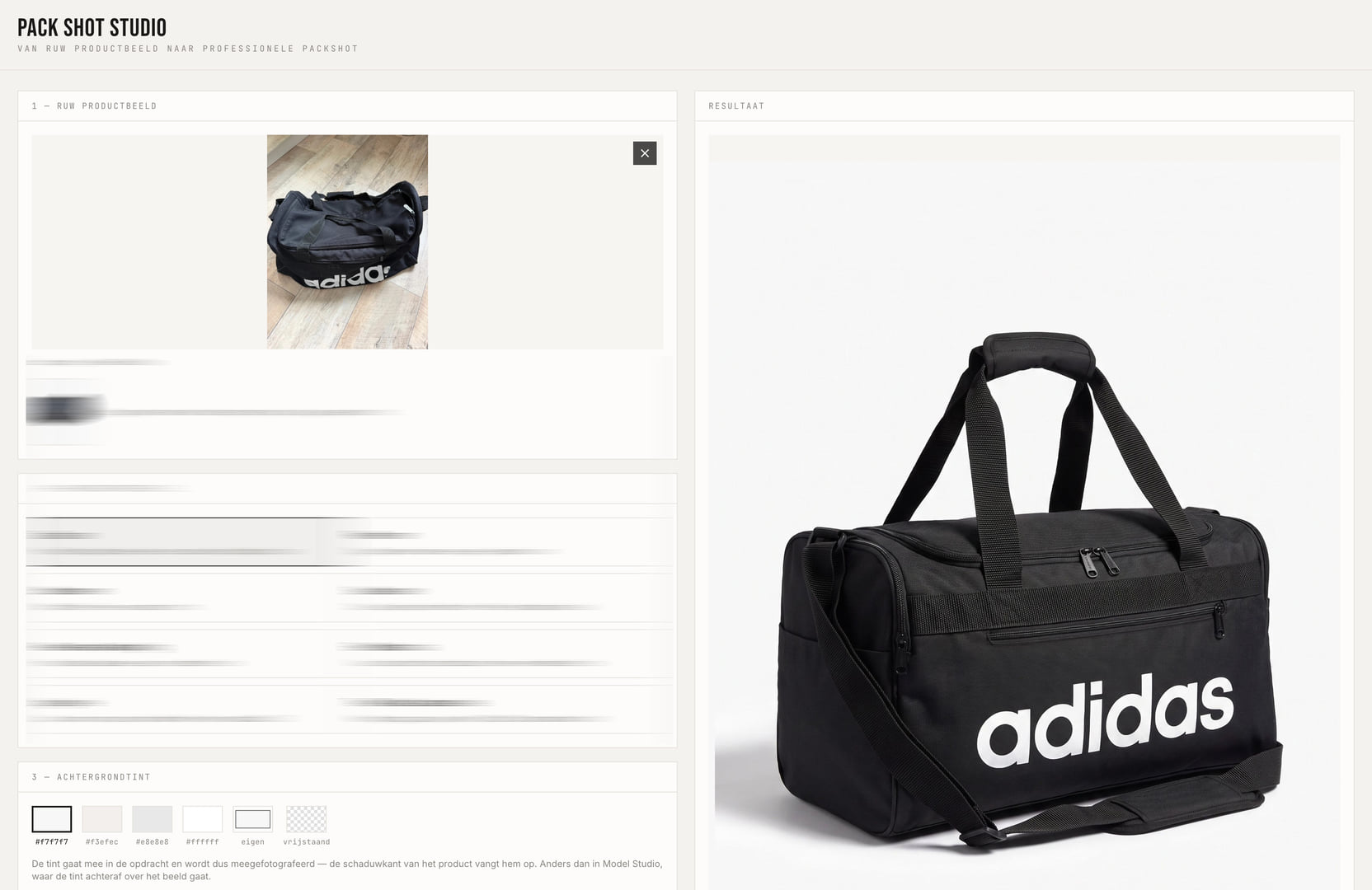
Pack Shot Studio is the studio for product photos. You upload a photo of a product. In return, you receive a sleek, professional product photo. The kind of photo you see in an online shop.
Until now, you could choose from a few background shades. What was missing: a product without a background. Just the product, plus the shadow underneath. So you can place it on any background you like. On your site, in a brochure, on a banner.
We call this cut-out. Today, it goes live.
Sounds simple. It wasn't.
The Problem: AI Doesn't Understand Transparency
Gemini, the image model, always creates a complete image. No transparent parts. The model doesn't understand the concept.
So, we generate on white and remove the background afterwards. And that's precisely where it gets complicated.
Attempt 1 — Based on Lightness
Measure how light each pixel is. White is background, so remove it. Dark is product, so keep it. We started at the edges of the image, so that white logos or labels on the product itself weren't affected.
Problem: the white area between the handles of a bag remained. The handles formed a closed loop. The method couldn't penetrate it.
Attempt 2 — An AI That Understands What a Product Is
Switched to rembg. An AI that understands what is product and what is background. Also that the gap between handles is background. And that a white logo on a dark bag belongs to the product.
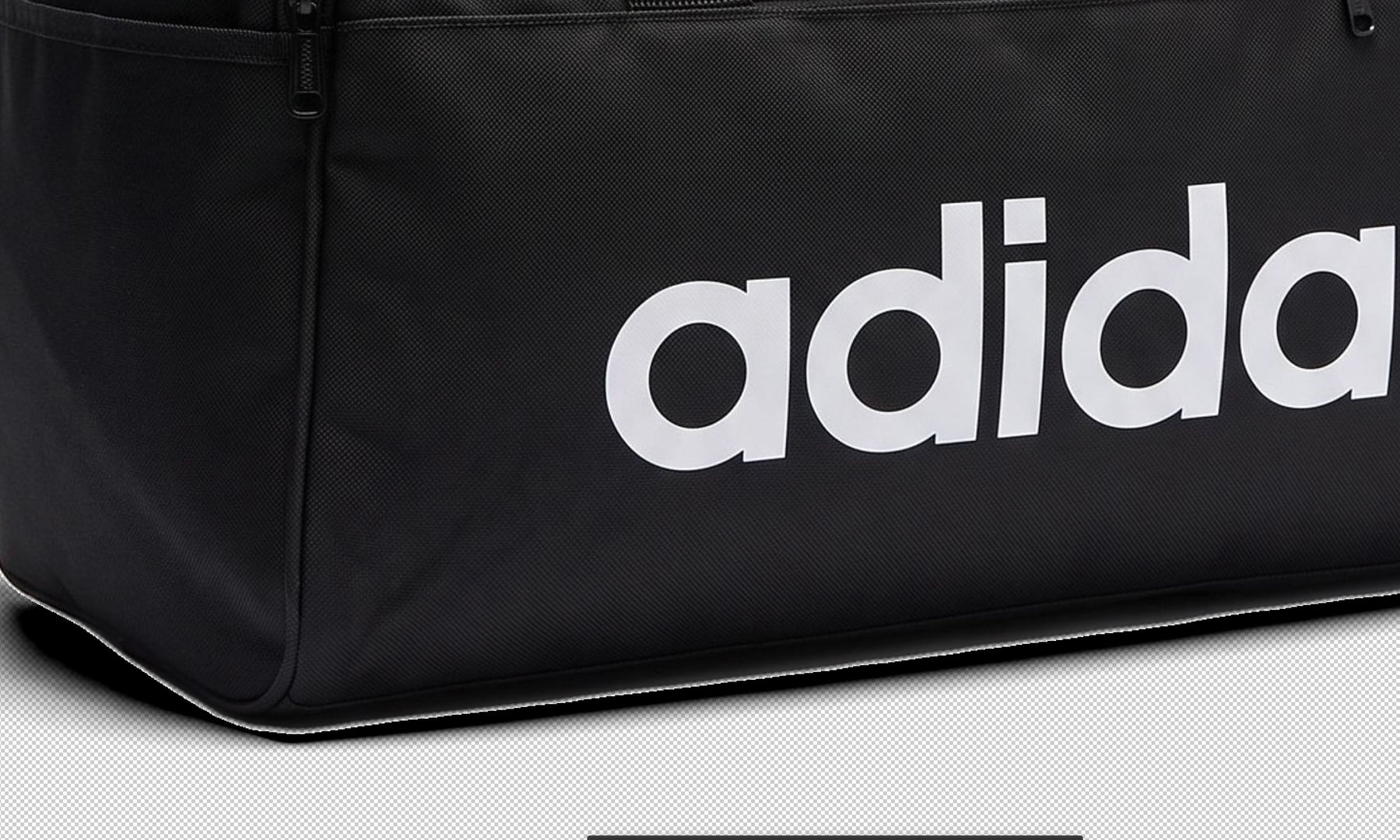
New problem: rembg cuts just a bit too generously. A white edge comes along. On a dark background, you notice it immediately.
Attempt 3 — Shrinking the Selection
Make the mask 2 pixels smaller. Like “Contract Selection” in Photoshop. Plus, mathematically remove the remaining white from the edges.
The white edge was gone. But the mask shrank everywhere. Even at the bottom, where the shadow meets the product. A gap appeared between product and shadow.
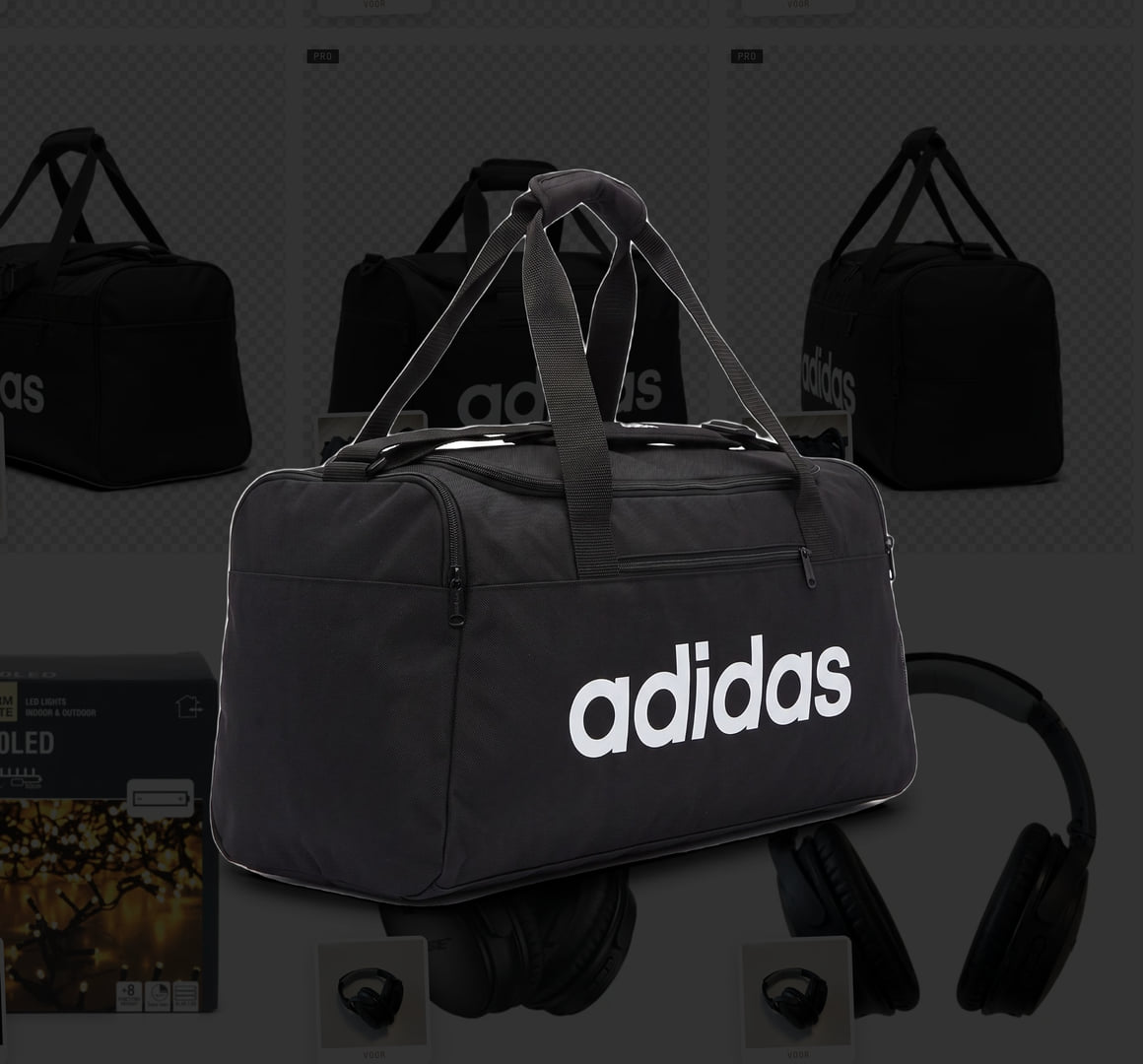
The Breakthrough — Two Layers
Then 30 years of Photoshop experience came into play. Work with two separate layers.
Layer 1 is the product. Neatly cut out, no white edges.
Layer 2 is the shadow. Purely based on where the image is dark. Independent of the cut-out. Semi-transparent black, like a Multiply layer.
Then overlay them. Where the product is, the product wins. Where the product ends, the shadow takes over. A gap is no longer possible.
That was it.
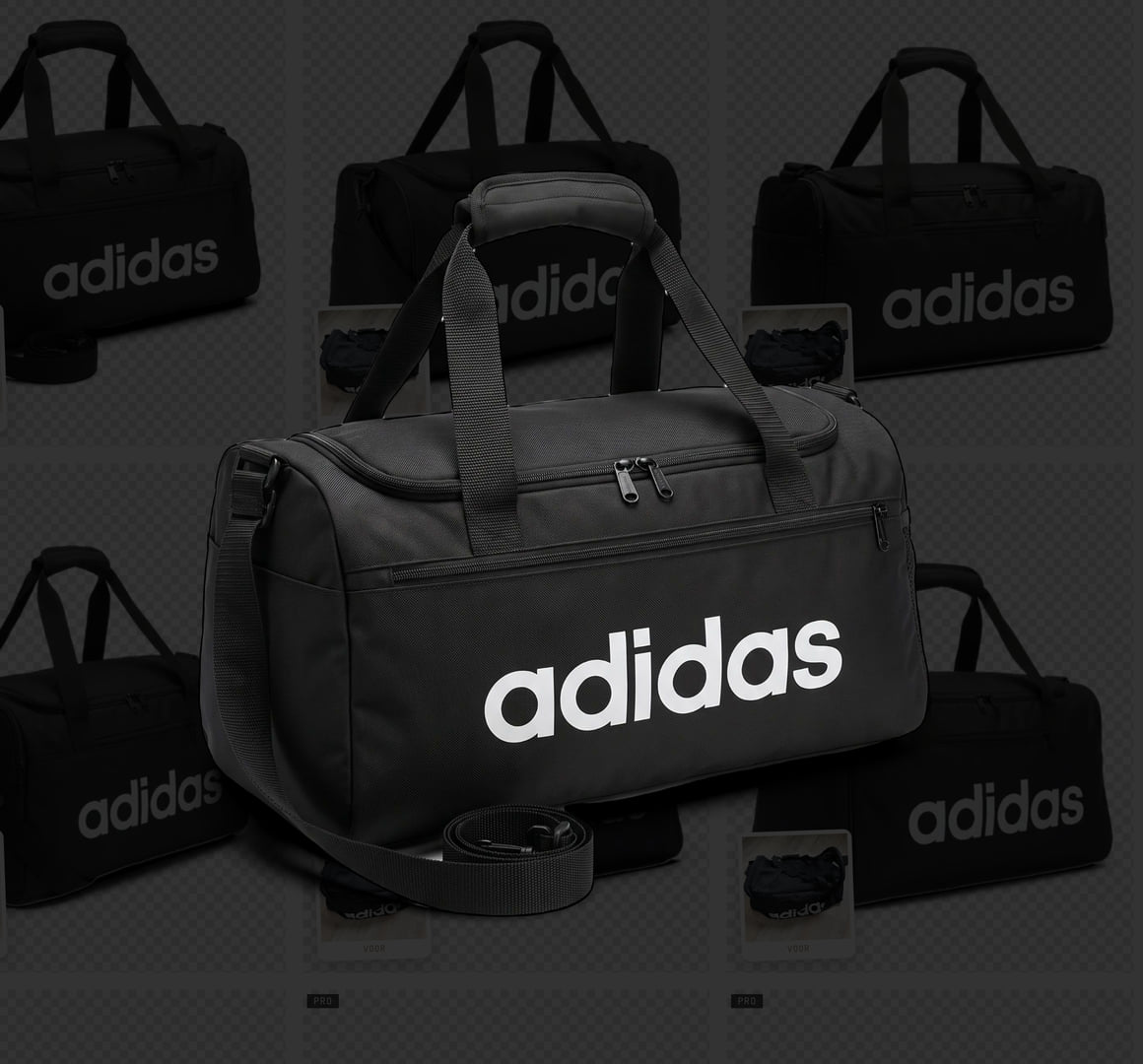
Refinement: Different for Each Product
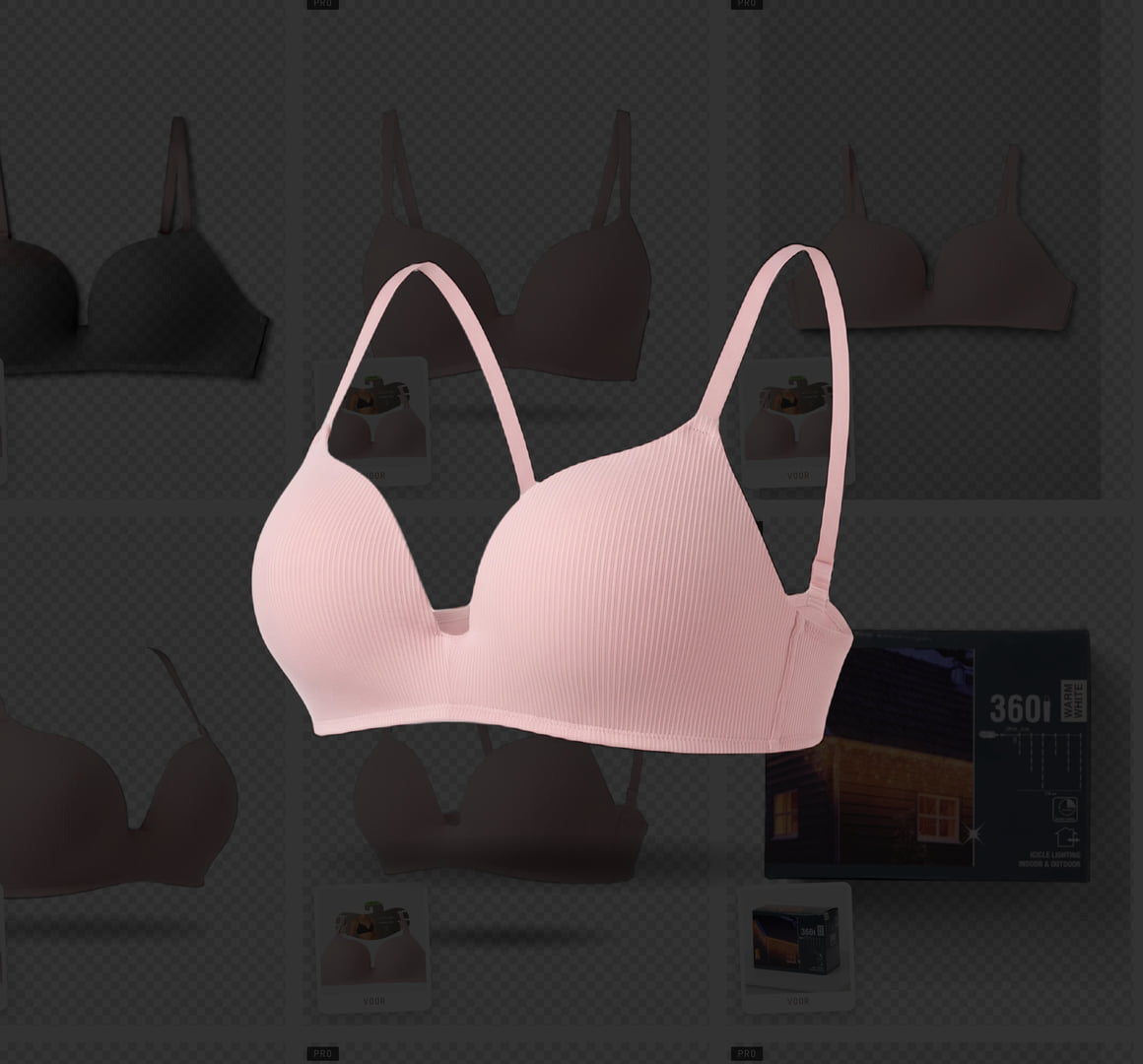
With a black sports bag, the edge correction worked perfectly. With a pink bra, it did not. A dark edge appeared.
Now the correction adapts. The greater the contrast between product and background, the stronger it intervenes. Dark product gets the full correction. Light product a softer one.
What Is Now Available
“Cut-out” as an option alongside background shades
Generation on white, then two layers into a transparent PNG
Contact shadow is retained
Works with both dark and light products
Drag and drop onto the upload area
The PNG actually downloads, instead of opening in a tab
Checkerboard pattern in result and gallery, so you see what is transparent
Packaging variants with truly different angles
What Is Yet to Come
It works. But it's not finished yet. With lingerie and light fabrics, the shadow is not entirely accurate. In the coming days, we will adjust it per product type. Each material catches light differently and casts a different shadow.
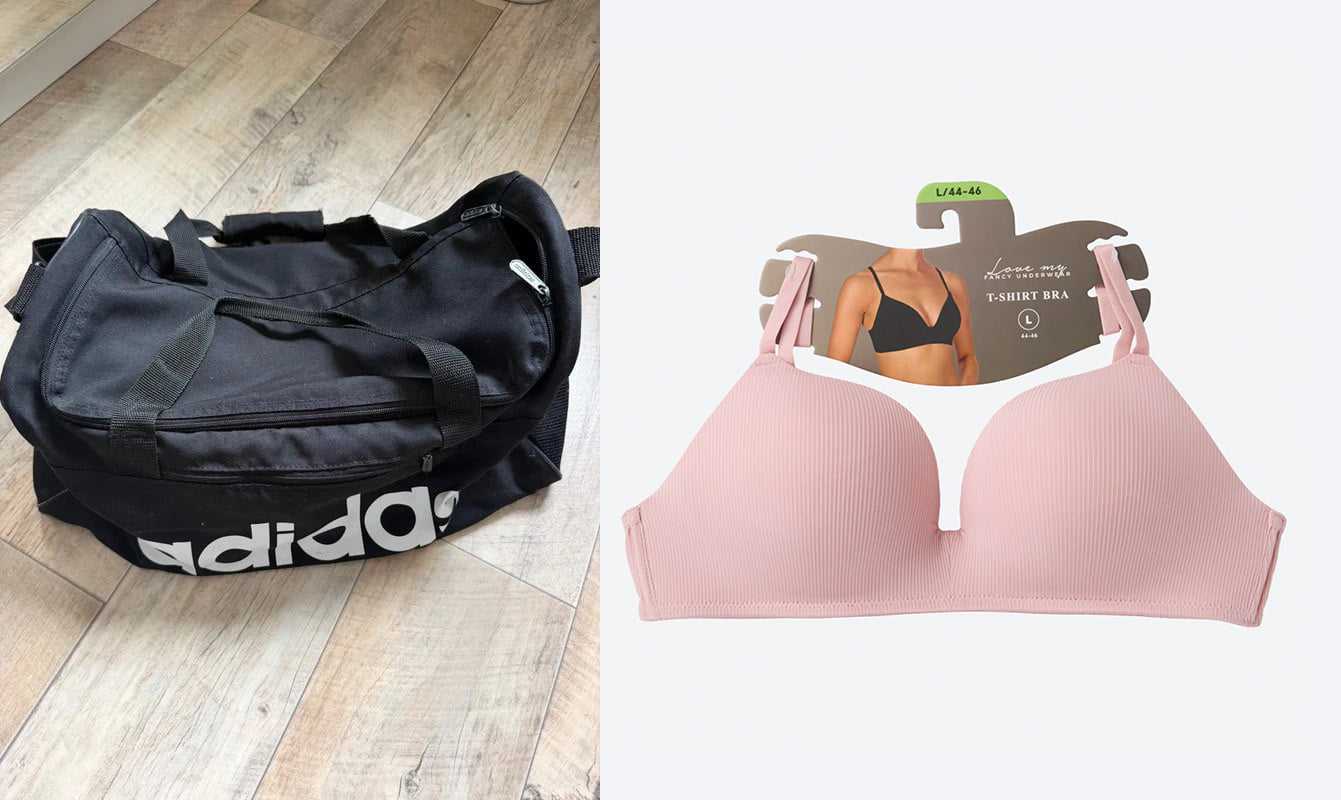
And finally, it's fun to show what our starting point was, and how with one click we get these kinds of cut-out, sleek products from these kinds of images... amazing, isn't it?
Claude & Peet