God's Eye View: a Spy Satellite in Your Browser, but with Real Data
Imagine: a rotating 3D globe, displaying live every plane, ship, and satellite hovering above us at that moment.
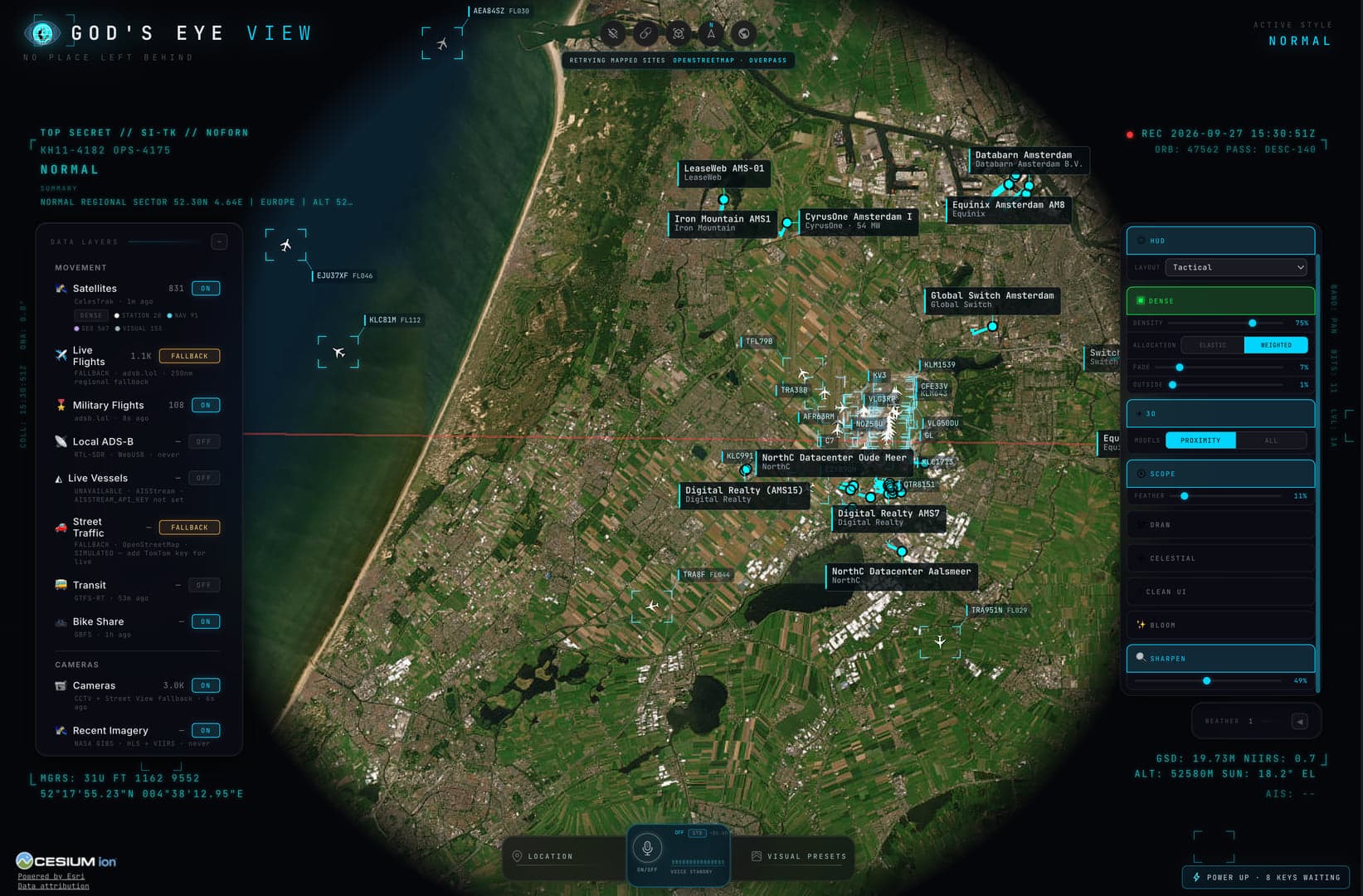
Figure 01.0 — God's Eye View

Imagine: a rotating 3D globe, displaying live every plane, ship, and satellite hovering above us at that moment. No simulation, just real data. This is God's Eye View, the project by Bilawal Sidhu and Sameh Khamis. It began as a viral YouTube series and has been fully open source online since late August.
What Do You See?
All layers below are described in the GitHub repository.
In the Air: over 11,000 planes live, plus a catalogue of 838 satellites.
At Sea: ships via AIS data.
On Earth: earthquakes, active wildfires from NASA, and about 3,600 public cameras placed in the 3D scene.
Infrastructure: data centres, dams, and undersea cables.
Viewing Modes: switch between night vision, thermal imaging (FLIR), and a retro CRT look. The latter is particularly enjoyable to watch.
With Your Voice: say "Take me to Tokyo" and the globe flies there. This requires a paid OpenAI key.
What Does It Cost?
Most layers work without an API key. For a few layers, you create a free account (including Cesium ion and AISStream for ships). Only Google Maps and the voice function are paid, but Google usually falls within the free limit. The code is under the MIT licence. The data sources each have their own terms.
How to Start It via Pinokio
Pinokio is a free launcher that installs AI and open source apps with one click, without needing to work in the terminal. According to the repository, here's how:
Install Pinokio, at least version 8.2.
Open the God's Eye View page on Pinokio.
Click on Install. Pinokio manages the dependencies and finds a free port itself.
Click on Start. The globe opens in your browser.
Note: on Pinokio, there are also versions by others, such as a standalone launcher. Choose the version that refers to the bilawalsidhu repository; that's the original. It works on Windows, macOS, and Linux.
Note
It is a playground, not an intelligence service. Looking back at what changed in the past, in high resolution, is not possible: it requires expensive data and a lot of computing power. The creator says he wants to solve that in a separate product. And the cameras are public cameras, but remain aware of what you view and share.