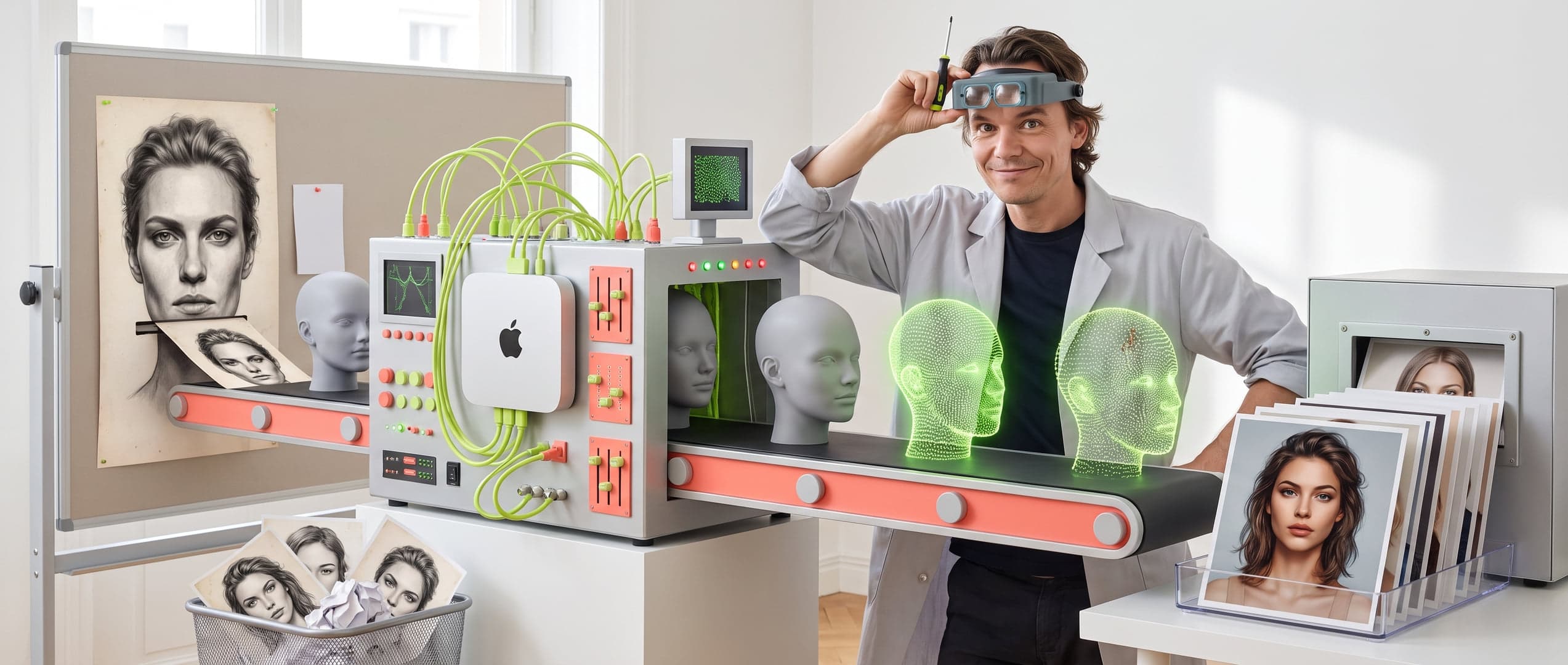
How I Exported 2k AI Prompts from Higgsfield
My first real task with the desktop Claude code. And it works brilliantly! Kudos to Claude for writing this blog for me.
Figure 01.0 — How I Exported 2k AI Prompts from Higgsfield

After months of intensive work with Higgsfield, I encountered one major practical issue:
more than 2k generated images, each with carefully crafted prompts, created with my trained Chatgpt - ZAPPA GPT — and no way to export them.
Everything was locked within the platform.
And that didn’t feel right.
My first real task with the desktop Claude code. And it works brilliantly! Kudos to Claude for writing this blog for me. I found it particularly interesting that the task wasn’t even fully completed, and I was already hitting the Claude PRO account limit, if I wanted to continue to MAX...... #thatsfast?
Higgsfield prompts preservation (nano banana pro)
Anyone seriously working with AI image generation knows:
your prompts are your capital.
You build them layer by layer. You test. You refine. And at some point, you have a library you don’t want to lose.
But what if:
Higgsfield stops tomorrow?
You want to reuse your prompts in another system?
You simply want your own backup?
There was no export function.
A Chrome extension only helped with new prompts — not for my existing archive.
Attempt 1 — The API
My first thought: this must be possible via an API.
There is one, but authentication is fully integrated into the frontend.
Result: “Invalid or expired token”.
No access.
❌ Failed.
Attempt 2 — Simple browser script
Then I tried to empty the Asset Library via the browser.
Scroll, grab images, done.
Result: 45 assets.
Out of 4500.
It turned out that Higgsfield doesn’t scroll in the browser window, but in an internal container.
❌ Missed again.
Attempt 3 — Right container, wrong assumption
After some investigation, I found the real scroll container.
ScrollHeight: 272,533 pixels.
But the count kept fluctuating strangely.
Sometimes more assets, sometimes fewer.
And that was the moment when the penny dropped.
The real issue — virtualised lists
Higgsfield doesn’t load all assets at once.
Only what you see exists in the DOM. The rest is dynamically replaced.
My script counted at the end —
but by that time, the first thousands of items had already disappeared.
The solution — collect while scrolling
Instead of counting afterwards, I started collecting while scrolling.
Each visible asset ID went directly into a Set (no duplicates).
Then continue scrolling.
And then it went quickly:
300 assets
2000 assets
3000+ assets
4571 unique assets
✅ Success.
From assets to real prompts
Those 4571 assets turned out to be approximately 2500 unique prompts.
Logical — you often create multiple variations of one prompt.
Everything is automatically grouped per prompt, with associated images.
What I learned from this
An API is not always the solution
Modern web apps are smart — and sometimes deliberately shielded
Debugging is done step by step, not in one leapYour creative work should remain yours
How the export is technically structured
The process consists of three steps:
Browser script
Scrolls through Higgsfield and collects all asset IDs + prompts;
Here .js for console.// higgsfield-prompt-exporter // ** * ╔═══════════════════════════════════════════════════════════════╗ * ║ HIGGSFIELD PROMPT EXPORTER ║ * ║ Export to Prompt Saver JSON format ║ * ╚═══════════════════════════════════════════════════════════════╝ * * USAGE: * 1. Go to https://higgsfield.ai/asset/all * 2. Ensure you are logged in * 3. Open browser console (F12 → Console tab) * 4. Copy this ENTIRE script and paste it into the console * 5. Press Enter * 6. Wait until it is done (can take 30-60 min for 2000+ assets) * 7. JSON file will be automatically downloaded * * TIP: Keep the browser tab open and active during scraping */ (async function HiggsFieldExporter() { 'use strict'; // ───────────────────────────────────────────────────────────── // CONFIGURATION // ───────────────────────────────────────────────────────────── const CONFIG = { SCROLL_DELAY: 800, // ms between scrolls (increased!) SCROLL_STEP: 2000, // pixels per scroll STABLE_ROUNDS: 10, // more rounds to wait for "done" LOAD_DELAY: 1200, // ms to wait after navigation BATCH_LOG_SIZE: 50, // log progress every N assets MAX_ASSETS: 10000 // safety limit }; // ───────────────────────────────────────────────────────────── // STATE // ───────────────────────────────────────────────────────────── const promptsMap = new Map(); // Group by unique prompts let totalProcessed = 0; let errors = 0; const startTime = Date.now(); console.clear(); console.log('%c🚀 HIGGSFIELD PROMPT EXPORTER', 'font-size: 20px; font-weight: bold; color: #00ff00'); console.log('━'.repeat(50)); // ───────────────────────────────────────────────────────────── // STEP 1: SCROLL TO LOAD ALL ASSETS // ───────────────────────────────────────────────────────────── console.log('\n📜 STEP 1: Loading all assets (scrolling)...'); // First navigate to asset overview if (!window.location.pathname.includes('/asset/all')) { window.location.href = 'https://higgsfield.ai/asset/all'; throw new Error('Navigate to /asset/all and run the script again'); } console.log(' Searching for scroll container...'); // IMPORTANT: Higgsfield uses an internal scroll container, not window! let scrollContainer = null; const allElements = document.querySelectorAll('div'); for (const el of allElements) { const style = window.getComputedStyle(el); if ((style.overflowY === 'auto' || style.overflowY === 'scroll') && el.scrollHeight > el.clientHeight + 100 && el.scrollHeight > 5000) { scrollContainer = el; console.log(` ✓ Scroll container found (${el.scrollHeight}px)`); break; } } if (!scrollContainer) { console.error(' ❌ No scroll container found! Trying window...'); scrollContainer = document.documentElement; } // VIRTUALIZED LIST FIX: Collect IDs WHILE scrolling! // Higgsfield removes items from DOM that are not visible const collectedIds = new Set(); let lastCollectedCount = 0; let noNewIdsRounds = 0; console.log(' Scrolling through all assets (collecting IDs along the way)...'); while (noNewIdsRounds < 15) { // First collect all visible IDs before scrolling const visibleImgs = document.querySelectorAll('img[alt*="media asset by id"]'); visibleImgs.forEach(img => { const match = img.alt.match(/id of ([a-f0-9-]+)/); if (match) { collectedIds.add(match[1]); } }); // Check if we found new IDs if (collectedIds.size === lastCollectedCount) { noNewIdsRounds++; } else { noNewIdsRounds = 0; if (collectedIds.size % 100 < 10) { console.log(` 📦 ${collectedIds.size} unique assets collected...`); } } lastCollectedCount = collectedIds.size; // Scroll down scrollContainer.scrollTop += CONFIG.SCROLL_STEP; await sleep(CONFIG.SCROLL_DELAY); // Extra wait if we are at the bottom if (scrollContainer.scrollTop >= scrollContainer.scrollHeight - scrollContainer.clientHeight - 500) { await sleep(400); // Small scroll back and forth to load more scrollContainer.scrollTop -= 500; await sleep(200); scrollContainer.scrollTop += 600; await sleep(400); } if (collectedIds.size >= CONFIG.MAX_ASSETS) { console.log(' ⚠️ Maximum reached'); break; } } // Scroll back to the top scrollContainer.scrollTop = 0; await sleep(500); // Convert Set to Array const assetIds = Array.from(collectedIds); console.log(`✅ ${assetIds.length} unique assets found`); // ───────────────────────────────────────────────────────────── // STEP 2: RETRIEVE PROMPTS FROM EACH ASSET // ───────────────────────────────────────────────────────────── const estMinutes = Math.round(assetIds.length * 1.2 / 60); console.log(`\n🔍 STEP 2: Retrieving prompts (~${estMinutes} minutes)...`); for (let i = 0; i < assetIds.length; i++) { const assetId = assetIds[i]; try { // Navigate to asset window.history.pushState({}, '', `/asset/all/${assetId}`); window.dispatchEvent(new PopStateEvent('popstate')); await sleep(CONFIG.LOAD_DELAY); // Extract prompt const data = extractPrompt(); if (data.prompt && data.prompt.length > 10) { const key = data.prompt.trim(); if (!promptsMap.has(key)) { promptsMap.set(key, { promptText: data.prompt, model: data.model, assetIds: [] }); } promptsMap.get(key).assetIds.push(assetId); totalProcessed++; } } catch (e) { errors++; } // Progress log if ((i + 1) % CONFIG.BATCH_LOG_SIZE === 0) { const pct = Math.round((i + 1) / assetIds.length * 100); const elapsed = (Date.now() - startTime) / 60000; const remaining = (elapsed / (i + 1)) * (assetIds.length - i - 1); console.log(` ${pct}% (${i + 1}/${assetIds.length}) - approximately ~${Math.round(remaining)} min left`); } } // Back to overview window.history.pushState({}, '', '/asset/all'); window.dispatchEvent(new PopStateEvent('popstate')); console.log(`✅ ${totalProcessed} prompts collected (${errors} errors)`); // ───────────────────────────────────────────────────────────── // STEP 3: EXPORT TO PROMPT SAVER FORMAT // ───────────────────────────────────────────────────────────── console.log('\n💾 STEP 3: Generating JSON...'); const exportData = []; promptsMap.forEach((data, promptKey) => { // Create title from first 50 chars const title = data.promptText.replace(/[\n\r]+/g, ' ').trim(); const shortTitle = title.length > 50 ? title.substring(0, 47) + '...' : title; exportData.push({ title: shortTitle, promptText: data.promptText, imageUrl: `https://higgsfield.ai/asset/all/${data.assetIds[0]}`, // Extra metadata (Prompt Saver ignores this) _meta: { model: data.model, totalImages: data.assetIds.length, allUrls: data.assetIds.map(id => `https://higgsfield.ai/asset/all/${id}`) } }); }); // Download const filename = `higgsfield-prompts-${new Date().toISOString().slice(0, 10)}.json`; downloadJSON(exportData, filename); // ───────────────────────────────────────────────────────────── // DONE! // ───────────────────────────────────────────────────────────── const totalTime = Math.round((Date.now() - startTime) / 60000); console.log('\n' + '═'.repeat(50)); console.log('%c✅ EXPORT COMPLETED!', 'font-size: 16px; font-weight: bold; color: #00ff00'); console.log('═'.repeat(50)); console.log(`📊 ${exportData.length} unique prompts`); console.log(`🖼️ ${totalProcessed} total images`); console.log(`⏱️ ${totalTime} minutes`); console.log(`📁 File: ${filename}`); console.log('═'.repeat(50)); // Return for debugging return exportData; // ───────────────────────────────────────────────────────────── // HELPER FUNCTIONS // ───────────────────────────────────────────────────────────── function sleep(ms) { return new Promise(r => setTimeout(r, ms)); } function extractPrompt() { const body = document.body.innerText; // Find prompt between "Copy" and "See all" const startIdx = body.indexOf('Copy'); const endIdx = body.indexOf('See all'); let prompt = ''; if (startIdx > 0 && endIdx > startIdx) { prompt = body.substring(startIdx + 4, endIdx).trim(); } // Find model name let model = 'Unknown'; const models = ['Nano Banana Pro', 'Kling', 'Minimax', 'Luma', 'Runway']; for (const m of models) { if (body.includes(m)) { model = m; break; } } return { prompt, model }; } function downloadJSON(data, filename) { const json = JSON.stringify(data, null, 2); const blob = new Blob([json], { type: 'application/json' }); const url = URL.createObjectURL(blob); const a = document.createElement('a'); a.href = url; a.download = filename; document.body.appendChild(a); a.click(); document.body.removeChild(a); URL.revokeObjectURL(url); } })();Node.js script
Downloads thumbnails and transfers everything to personal storageImport
Final JSON import into my own prompt library
Total time: ±2 hours
(most of which was just waiting)